Before generating: media uses public links and has no automatic expiry. Privacy and deletion
No prompt needed · Generation uses 150 credits
Demo preview
AI-generated demo · full video available
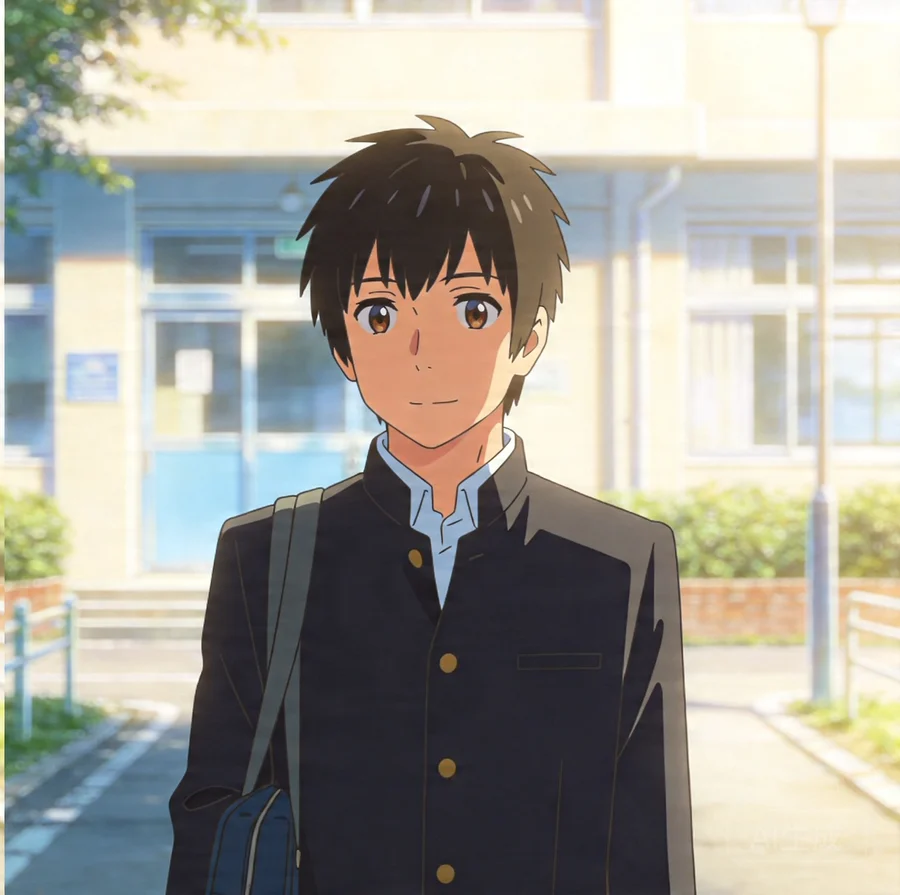
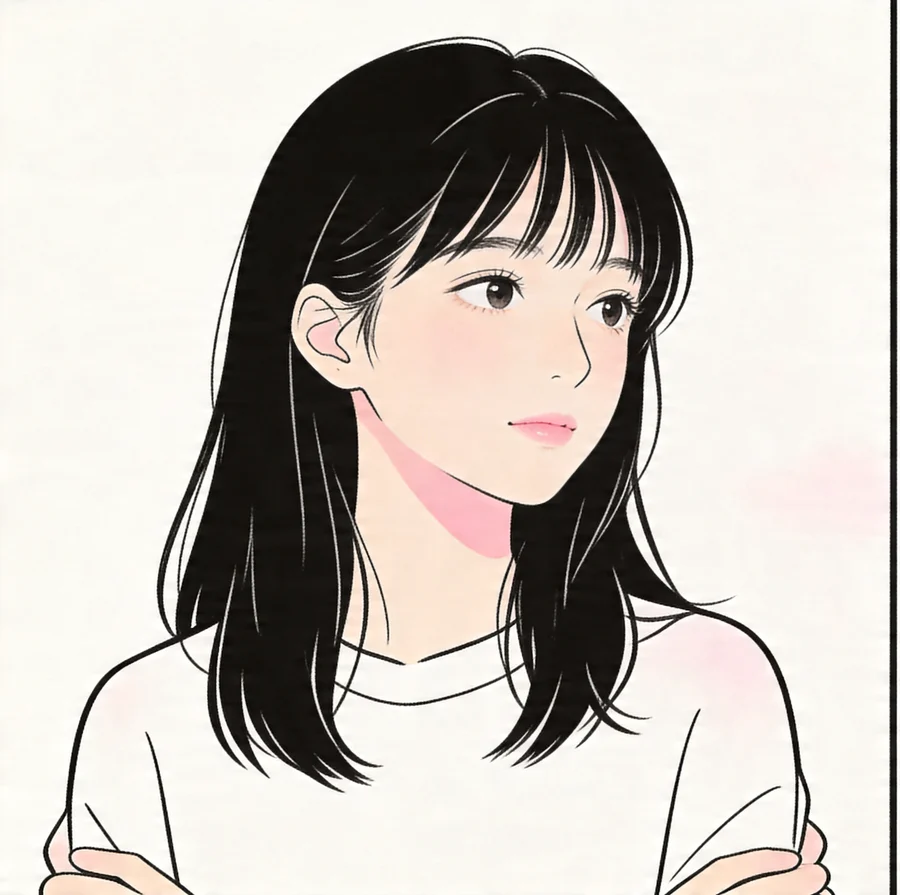
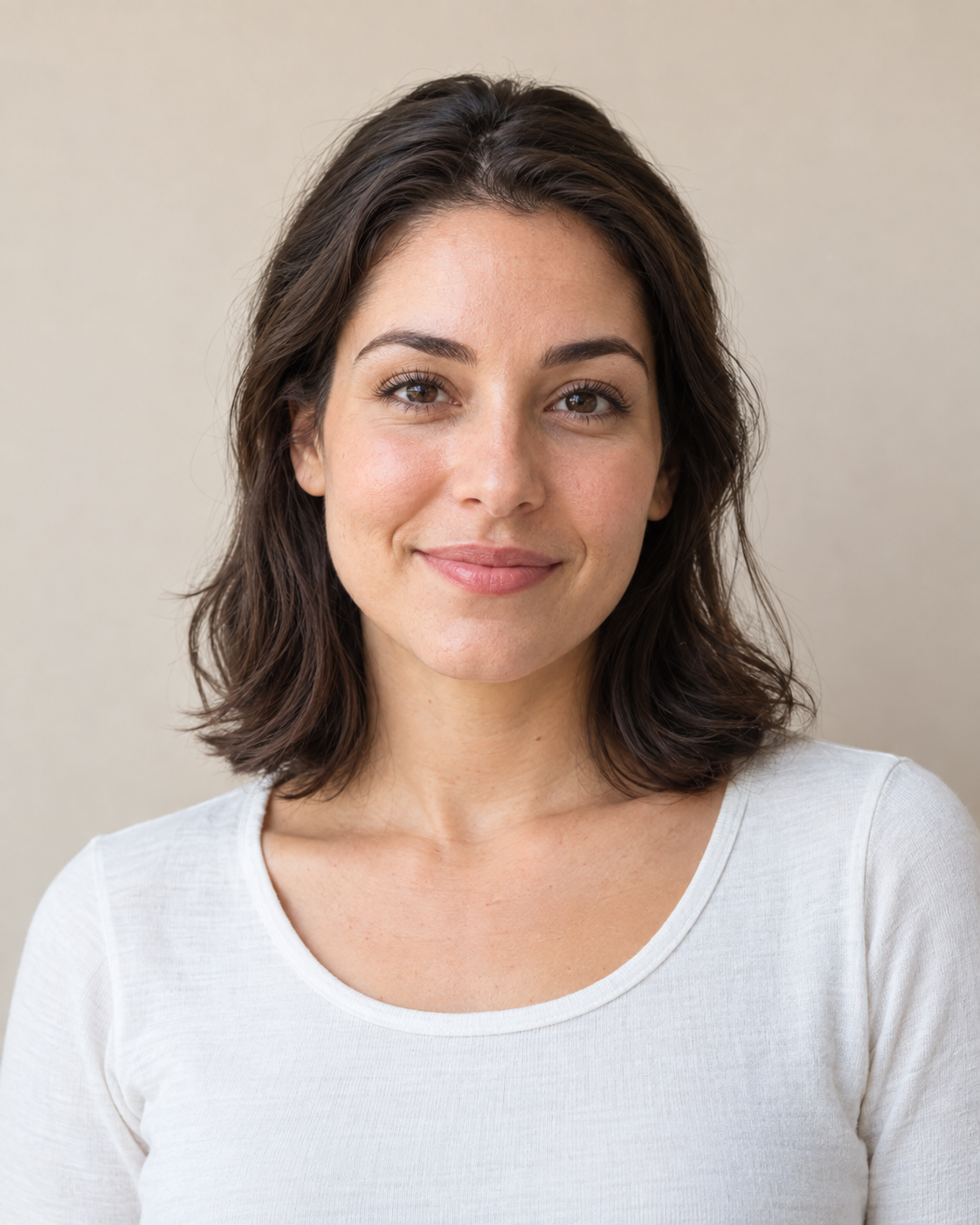
Two input photos → one complete video
Anime duo
Input photo 1Input photo 2Complete generated video
Measured output file
Clip length
5.088 seconds
File resolution
480 × 836
Audio type
Embedded audio
An embedded audio track is present. Its template/custom source and music rights were not established for this output.
Generation record
Generation date
Not verified
Selected mode
Not verified
Selected duration
Not verified
Selected aspect ratio
Not verified
Actual generation cost
Not verified
Generation time
Not verified
Attempts
Not verified
Video post-production
Not verified
Evidence source
Owner-supplied input pair and output confirmation; local file inspection
Evidence recorded
Evidence ID
anime-case-2026-10-09
Verification scope: The owner confirmed these inputs match this output. File length, pixel dimensions and an audio track were inspected. No original task or billing record was supplied; settings, generation date, cost, time, attempts, editing history and use of the current workflow are not verified. The evidence date is not the generation date.
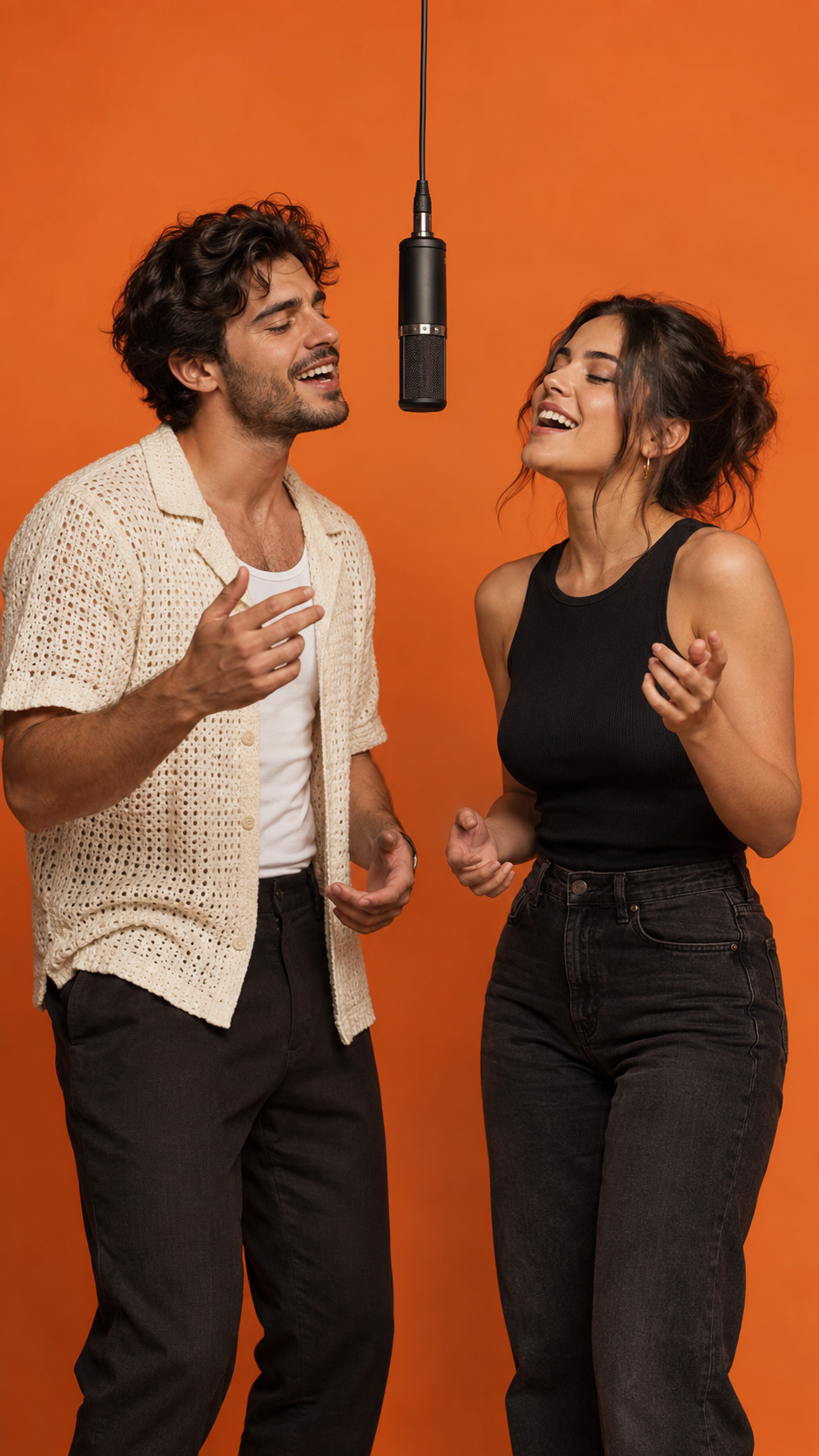
The template brings your people into the orange-booth performance.
03
Preview and download
Watch your result and download the generated video when it’s ready.
What does Hotel Lobby AI do?
Hotel Lobby AI is an independently operated photo-to-video web app. It turns two real photos or anime-style character images into a short, AI-generated duo performance in a Classic orange studio. Choose the template, duration and format without writing a prompt.
Photos and audio
One photo per subject: JPG, PNG or WEBP, up to 10 MB each. Use the template audio or your own WAV / MP3 clip. Supports real people, anime characters and pets such as cats and dogs.
Video options
5, 10 or 15 seconds; landscape, portrait or square. Available resolutions and the credit cost are shown before generation. Download your finished video as a watermark-free MP4.
Before you create
Use photos and audio you have permission to use. AI can change faces, movement or clothing; exact likeness and results are not guaranteed. Generation consumes credits and is not an unlimited free service.
Billed monthly. Credits arrive after each paid month and expire after 30 days. Unused credits do not roll over beyond their expiry. Cancel renewal anytime.
Starter
For casual video creators
$19.90 / month
2,000 credits each month
Fast 480p / Fast 720p / HD 1080p / Seedance 2.0 Mini 480p / Seedance 2.0 Mini 720p
5, 10 or 15 seconds per video
Hotel Lobby audio or your own WAV / MP3
Credits valid for 30 days from payment
Automatic renewal; cancel anytime
Up to 13 videos / month
Based on 5-second 480p videos. Longer videos and higher resolutions use more credits.
Popular
Creator
For regular video creators
$49.90 / month
6,000 credits each month
Fast 480p / Fast 720p / HD 1080p / Seedance 2.0 Mini 480p / Seedance 2.0 Mini 720p
5, 10 or 15 seconds per video
Hotel Lobby audio or your own WAV / MP3
Credits valid for 30 days from payment
Automatic renewal; cancel anytime
Up to 40 videos / month
Based on 5-second 480p videos. Longer videos and higher resolutions use more credits.
Studio
For teams with a larger video budget
$99.90 / month
13,000 credits each month
Fast 480p / Fast 720p / HD 1080p / Seedance 2.0 Mini 480p / Seedance 2.0 Mini 720p
5, 10 or 15 seconds per video
Hotel Lobby audio or your own WAV / MP3
Credits valid for 30 days from payment
Automatic renewal; cancel anytime
Up to 86 videos / month
Based on 5-second 480p videos. Longer videos and higher resolutions use more credits.
Maximum counts use 5-second Fast 480p videos. Annual totals consist of 12 separate monthly allocations; unused monthly credits do not carry over. One-time and subscription credits share the same quality access, with their original expiry dates.
The Classic Hotel Lobby template
Two performers. Orange studio. Hanging mic. Landscape, portrait or square video.
The Hotel Lobby look is instantly recognizable: two performers, a seamless orange studio and a microphone hanging between them. The AI version brings your own duo into that scene.
Start with a photo of each person. The Classic template handles the setting, so you can focus on who belongs in your duo.
A few things to know
Is Hotel Lobby AI free?
Video generation uses credits. You’ll see the current cost before confirming.
What photos should I upload?
Choose one clear photo per subject. JPG, PNG or WEBP, up to 10 MB each. Supports real people, anime characters and pets such as cats and dogs.
Can I use two different people?
Yes, the Classic template is designed for two different people. Choose a separate photo for each performer.
How do credits work?
Review the generation cost before you confirm. Credits are reserved while the video is being created and settled when it finishes. Failed tasks follow the account credit policy.
Can I create a video on my phone?
Yes. You can choose photos from your phone and follow the same upload, generate and preview flow.
Can I upload photos of people, anime characters or pets?
Supports real people, anime characters and pets such as cats and dogs. Choose one clear photo per subject. JPG, PNG or WEBP, up to 10 MB each.
How long does generation take?
Generation time varies. The page shows the current task status, and your video stays on this page when it is ready.
Why does a character look different?
AI can change appearance, especially with blurry photos or covered faces. Start with clear, well-lit photos; exact likeness and motion are not guaranteed.
What audio is included?
The template soundtrack is included by default. You can also upload your own WAV or MP3 clip up to 15 MB that covers the selected video duration. Preview the audio before generating. Generated audio may differ from the reference. The workflow uses the chosen audio as its reference; it is not an original-rap songwriting service and does not promise the original commercial song or an exact copy of the track. Use only audio you have permission to use; template availability does not grant separate music or commercial-use rights.
Can I make it without CapCut or a reference clip?
Yes. On your phone or computer, upload one clear photo per person; the Classic template supplies the orange studio and performance reference. Choose audio and settings, sign in and confirm the credit cost. The site generates the duo without timeline editing, a prompt or a reference video upload. For TikTok or Reels, choose 9:16 and preview the full result before downloading.
Can I download an MP4 without a watermark?
Yes. Download your completed video as a watermark-free MP4 from the result preview. Downloading the same result costs no additional credits. On a phone, the browser may open the video first; use its save or download option.
Are my photos and videos private, and how can I delete them?
Uploads and generated videos currently use public links and have no scheduled expiry. Delete a finished video to request erasure of its stored inputs and output. Files still used by another task are retained until that task is deleted. Removing a browser selection does not erase server files. Failed erasure is retried; existing cached links and third-party copies may require separate removal through support@hotel-lobbyai.online.
Make the Hotel Lobby AI trend your own
Pick a friend, partner or family member for your rap duo. The Classic template brings both people into the recognizable orange studio, with one microphone between them. You do not need to film the performance or write a prompt.
Choose duration and quality
Choose 5, 10 or 15 seconds, a format and an available quality. Use the default Hotel Lobby audio or upload a WAV or MP3 clip that covers the selected duration.
Preview before sharing
Watch the generated video and check both people, movement and audio before downloading. AI results may change faces, outfits or gestures. Downloading the same result does not spend more credits.
Use the Classic generator when you want two people in the orange studio with a shared hanging microphone, starting from one portrait per person. The scene is built in; you choose duration, aspect ratio, quality and audio without writing a prompt.
Can I use it for any kind of AI video?
The Classic workflow is designed for the Hotel Lobby duo scene. For a different scene or a custom camera sequence, use a video tool with editable prompts. The prompt guide here provides an English scene description you can copy to a compatible external tool.
What should I check before spending credits?
Watch the style examples, prepare clear portraits and check the selected option's credit cost. Read each example’s provenance label. Generation time varies and AI may change faces or gestures. Start with a short clip to review your own result before creating a longer video.
Two photos. One video.
Create Hotel Lobby AI video
Choose two photos and let the Classic template handle the scene.