
Hotel Lobby AI
Video Generator
Turn two photos into the orange-booth duo performance.
01 Upload your duo02 Create03 Preview
Person 1
One clear person per photo
JPG, PNG, WEBP · up to 10 MB
Person 2
One clear person per photo
JPG, PNG, WEBP · up to 10 MB
One-time credits: 768p. Starter subscription: 768p / 720p. Creator and Studio: 768p / 720p / 2k.
No prompt needed · Generation uses 750 credits
Demo preview
Two photos. One duo.
Hotel Lobby AI Video Examples
Two photos. One performance.
01
Upload two photos
Add one clear photo for each person.
02
We create your duo
The template brings your people into the orange-booth performance.
03
Preview and download
Watch your result and download the generated video when it’s ready.
Start with a clear photo.
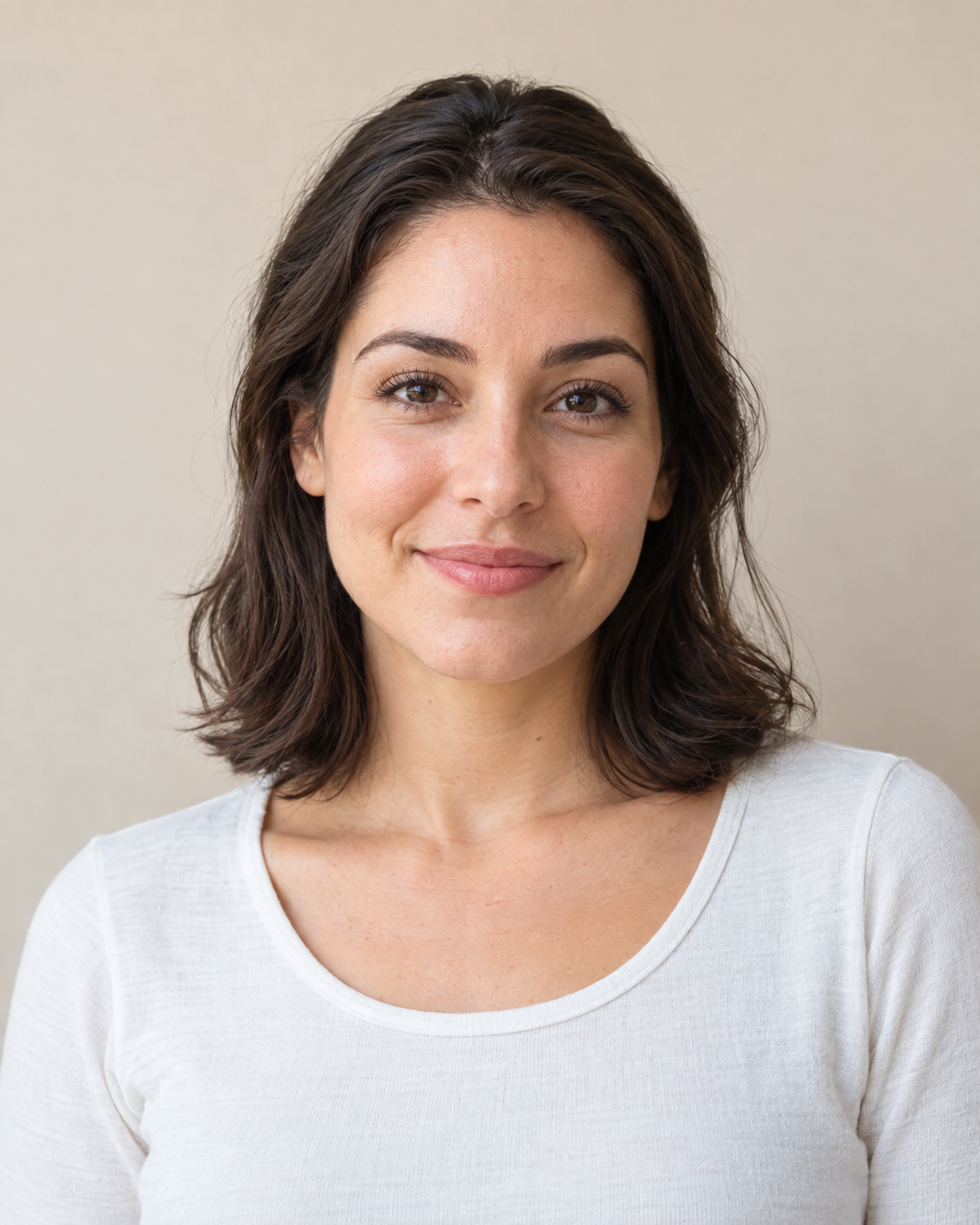
Works best
- One person
- Clear face
- Good lighting
- Upper body visible
Try another photo
- Group photos
- Covered faces
- Heavy blur
- Tiny faces
Choose your plan. Create your duo.
Loading pricing…
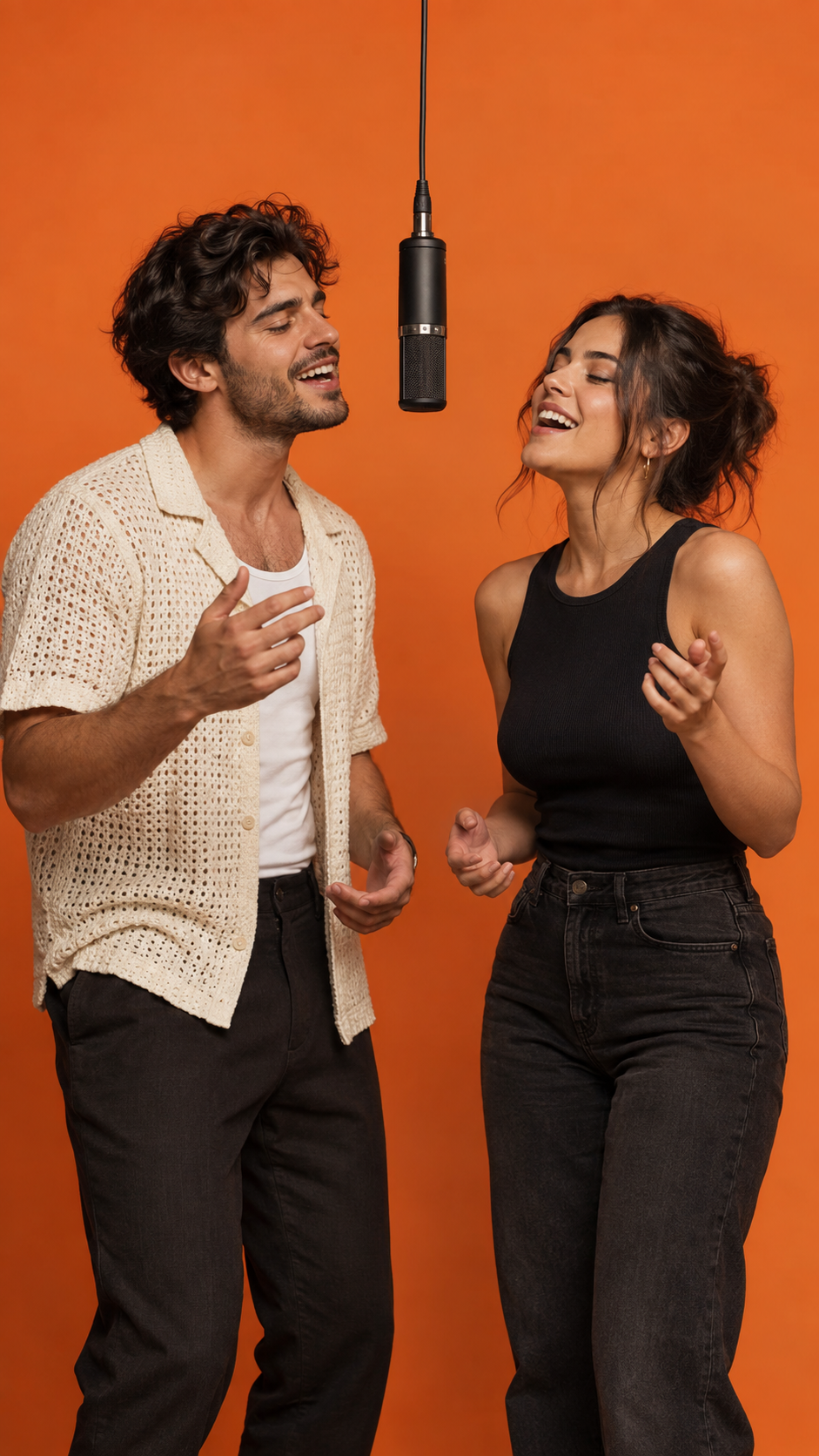
The Classic Hotel Lobby template
Two performers. Orange studio. Hanging mic. Landscape, portrait or square video.
View Hotel Lobby AI TemplateWhat is the Hotel Lobby AI trend?
The Hotel Lobby look is instantly recognizable: two performers, a seamless orange studio and a microphone hanging between them. The AI version brings your own duo into that scene.
Start with a photo of each person. The Classic template handles the setting, so you can focus on who belongs in your duo.
A few things to know
Is Hotel Lobby AI free?
Video generation uses credits. If your account has promotional credits, you can use them toward a video. You’ll see the current cost before confirming.
What photos should I upload?
Choose one clear photo of each person. Good lighting, a visible face and an upper-body view work best. JPG, PNG and WEBP files up to 10 MB are supported.
Can I use two different people?
Yes, the Classic template is designed for two different people. Choose a separate photo for each performer.
How do credits work?
Review the generation cost before you confirm. Credits are reserved while the video is being created and settled when it finishes. Failed tasks follow the account credit policy.
Can I create a video on my phone?
Yes. You can choose photos from your phone and follow the same upload, generate and preview flow.
Can I use pets?
The first release focuses on people. Pet and illustrated-character styles are not available yet.
How long does generation take?
Generation time varies. The page shows the current task status, and your video stays on this page when it is ready.
Why does a character look different?
AI can change appearance, especially with blurry photos or covered faces. Start with clear, well-lit photos; exact likeness and motion are not guaranteed.
Hotel Lobby AI: create a two-person video from photos
Learn what the Classic template does, how to prepare portraits, and what to expect when you generate and preview a video.
Hotel Lobby AI: Bring two people into one memorable scene
Hotel Lobby AI turns two individual portraits into a playful video in your chosen aspect ratio built around a familiar orange studio, a suspended microphone, and a shared performance. Choose one photo for each person, review the generation details, and create a duo scene without writing a prompt or assembling a timeline. Hotel Lobby AI is designed for a simple idea: give two people the spotlight together, even when the original photos were taken at different times or places.
The Hotel Lobby AI result is made for sharing with a friend, partner, sibling, or someone who would enjoy an unexpected cameo. Hotel Lobby AI provides a consistent setting so the pair feels part of the same moment. The orange backdrop and hanging microphone establish the visual theme; your selected portraits provide the people. It is a focused template experience, which keeps the creative decision small and makes the first step clear: decide who should appear together.
Hotel Lobby AI: What the Hotel Lobby AI template includes
The Hotel Lobby AI Classic template uses two people, a seamless orange studio, and one microphone hanging between the performers. Choose 9:16, 16:9, 1:1, 4:3 or 3:4 to suit where you plan to share it. Hotel Lobby AI keeps those scene choices together in one preset, so you do not need to adjust a long list of camera, lighting, or set options before starting. The sample artwork on this page explains the visual direction; it is an illustration of the style, not a preview of your personal result.
This first release concentrates on the Classic people-focused treatment. Hotel Lobby AI does not currently offer separate on-site controls for pets, illustrated characters, alternate sets, or detailed prompt editing. That narrower scope helps set expectations: choose the two portraits, check the cost and availability shown by the Hotel Lobby AI generator, and then decide whether the preset fits the Hotel Lobby AI video you have in mind. You can explore examples before uploading anything.
Hotel Lobby AI: How to make a Hotel Lobby AI video
Start with the upload area and add one image for Person 1 and another for Person 2. Hotel Lobby AI works best when each image contains one clearly visible person, with a recognizable face and enough of the upper body to guide the composition. Separate portraits make it easier to identify the two intended performers than a crowded group shot. You can replace either image before generation if you notice a better option in your camera roll.
After selecting both photos, read the status and cost information presented on screen. Sign in when prompted, review the credit amount, and confirm only when the details are right for you. Hotel Lobby AI then submits the task and displays its current status on the Hotel Lobby AI page. Generation time can vary, so keep the Hotel Lobby AI page available while the Hotel Lobby AI video is being prepared. When it is ready, preview the Hotel Lobby AI result and use the download control if you want a copy.
Hotel Lobby AI: Choose portraits that give the model a clear reference
A useful source image is sharp, well lit, and centered on one person. Face the camera when possible, avoid strong shadows across the eyes, and leave some space around the head and shoulders. Hotel Lobby AI uses the uploaded image as a visual reference, so a small, distant face or heavy motion blur gives the generation less information to work with. A natural expression and uncluttered background can also make the subject easier to distinguish.
Avoid photos where sunglasses, hands, hats, or other objects cover most of the face. Very dark images, tiny subjects, extreme filters, and screenshots with compression artifacts may lead to less consistent details. Hotel Lobby AI cannot promise an exact likeness or reproduce every feature perfectly; generated motion can change appearance. If the first result is not what you hoped for, try clearer source images and consider whether the two portraits have similar framing and lighting.
Hotel Lobby AI: Make the idea personal before you upload
The most engaging pairings often have a small story behind them: two friends who live far apart, a couple celebrating an anniversary, siblings sharing an inside joke, or a favorite duo from a group chat. Hotel Lobby AI gives that idea a common setting and a simple performance concept. Think about the person who will receive the Hotel Lobby AI video, choose images they would be comfortable seeing used, and make sure you have permission to use someone else’s photo.
You can also plan the reveal. Send the finished clip with a short note, add it to a birthday message, or share it privately before posting it publicly. Hotel Lobby AI makes the visual setup consistent, while your choice of people and the context around the Hotel Lobby AI video make it feel specific. The goal is a light, friendly moment rather than a formal portrait, so a candid but recognizable photo can be a good starting point.
Hotel Lobby AI: Review credits and generation status up front
Video generation uses account credits. If promotional credits are available on your account, they may be used toward the task. Hotel Lobby AI shows the current cost before you confirm, giving you a chance to check your balance and decide whether to continue. Availability can depend on the service configuration, so use the message in the Hotel Lobby AI generator as the current source of truth rather than assuming every account or session has the same status.
Once a task begins, the Hotel Lobby AI page reports whether it is being confirmed or rendered. Processing time varies with the generation service and current workload. Hotel Lobby AI keeps the task associated with the Hotel Lobby AI page so you can follow the status and preview the completed video there. Credits are reserved during creation and settled when the task finishes; failed tasks follow the account credit policy. Review the displayed terms before confirming if you have questions about a specific charge.
Hotel Lobby AI: Preview, download, and decide what to share
When the Hotel Lobby AI video is ready, play it on the same page and check that both people appear as expected. Hotel Lobby AI gives you a preview of the generated file before you decide what to do next. If you want to keep it, download the Hotel Lobby AI result to your device. Downloading the same completed video does not start another generation task. You can also return to the Hotel Lobby AI generator and choose different photos for a new concept, subject to the cost shown for that task.
Before sending or posting the clip, think about the people pictured and the audience who will see it. A private message can be a more comfortable first share than a public post. Hotel Lobby AI is a creative tool, and generated results can contain unexpected details or likeness changes; watch the full video before sharing it. If something looks wrong, use a different source image or leave the clip unshared.
Hotel Lobby AI: Use the experience on a phone or desktop
The workflow is short enough to use on a phone: select two portraits from your photo library, check the Hotel Lobby AI generator’s information, and follow the task status. Hotel Lobby AI also works from a desktop browser, where you can choose image files from your computer and review the Hotel Lobby AI video on a larger screen. On either device, use supported JPG, PNG, or WEBP images up to 10 MB each, and make sure the files are fully available before beginning.
If an upload is rejected, check the format, file size, and image dimensions, then choose another copy of the photo. If the Hotel Lobby AI page reports that generation is unavailable, you can still browse the examples and read the photo guide while you wait. Hotel Lobby AI displays availability in context so you can tell whether you can proceed. The page’s current message is more reliable than an old screenshot, saved link, or assumption about service status.
Hotel Lobby AI: Explore examples without mistaking them for results
The examples section shows the Classic orange-studio direction with different duo concepts. Use it to decide whether the color, framing, and shared microphone suit your idea. Hotel Lobby AI examples are labeled as style illustrations: they show the kind of scene the Hotel Lobby AI template aims for, not footage generated from your uploads and not a guarantee of an identical output. Your video is created from the images you provide and may differ in expression, movement, clothing, or other details.
If you already know which two people you want to feature, go straight to the Hotel Lobby AI generator. If you are still deciding, browse the examples first and read the photo guide for practical selection tips. Hotel Lobby AI is intentionally centered on one recognizable visual concept, so the examples help you judge fit rather than compare a large catalog of unrelated effects. The Hotel Lobby AI Classic template page contains more detail about its scene and format.
Hotel Lobby AI: A focused starting point for a two-person video
Some video tools begin with a blank prompt box and expect you to describe every detail. Hotel Lobby AI takes a different practical route for this specific idea: it presents a prepared duo scene and asks for two portraits. That makes the first decision about people rather than production settings. It can be useful when you have a clear pairing in mind but do not want to design a studio, position a microphone, or write a long visual brief yourself.
A preset also has limits. Hotel Lobby AI is best suited to people who want the Classic orange-studio performance, not to every possible video concept. It does not replace a general video editor, and the generated clip is not a substitute for filming a custom scene with precise direction. Treat the Hotel Lobby AI template as a quick creative experiment: choose suitable photos, review the generation terms, watch the Hotel Lobby AI result, and decide whether it fits your purpose.
Hotel Lobby AI: Frequently asked questions about Hotel Lobby AI
Is Hotel Lobby AI free? Generation uses credits, and the Hotel Lobby AI page shows the current cost before you confirm. Can I use two different people? Yes. The Hotel Lobby AI Classic template is designed around two separate performers, so upload one photo for each. Can I use pets or illustrated characters? The on-site first release currently focuses on people. Can I make a video from my phone? Yes, the upload and preview flow is available on mobile browsers as well as desktop.
How long does Hotel Lobby AI take? Timing varies, and the Hotel Lobby AI generator shows the task status while it runs. Why does someone look different? Generated motion can alter likeness, particularly when source photos are blurry, dark, or obstructed; exact identity preservation is not guaranteed. What if I need to change a photo? Replace it in the upload area before confirming the task. For more help, review the photo guide and the current messages displayed alongside the Hotel Lobby AI generator.
Hotel Lobby AI: Create a duo that feels like yours
A simple template works best when the idea behind it is clear. Pick two people who would enjoy appearing together, find a separate portrait for each, and check that both faces are easy to see. Hotel Lobby AI supplies the orange studio and shared performance setup, while your pairing brings the personality. Take a moment to compare the portraits for clarity and framing before you upload them; small choices at the start can make the process easier to review.
When you are ready, return to the Hotel Lobby AI generator at the top of this page. Hotel Lobby AI will show whether creation is available and what the task costs before you decide to proceed. Follow the on-screen steps, preview the finished clip, and download it only if you want to keep a copy. Whether it becomes a private joke, a celebration, or a playful surprise, the Classic duo scene offers a straightforward way to bring two portraits into one shared moment.
Your duo is next.
Person 1
Person 2
One-time credits: 768p. Starter subscription: 768p / 720p. Creator and Studio: 768p / 720p / 2k.
No prompt needed · Generation uses 750 credits