
THE FOLDABLE-PHONE DANCE
iPhone Kupi Dance
AI Generator
Your photo. The big reveal.
A hotel room becomes your dance floor.
Make it your dance.
Upload one photo. Review the cost.
Generate your 15-second phone-reveal dance.
JPG, PNG, WEBP · up to 10 MB
Clear face and upper body · good lighting
This video 900 credits
Before generating: media uses public links and has no automatic expiry. Privacy and deletion
No prompt needed · Generation uses 900 credits
Sign in → Buy credits if needed → Confirm generation
ORIGINAL PHOTO. TESTED RESULT.
See how the dancer changes.
Generated on Hotel Lobby AI. Compare the original selfie with the complete dance result.
A selfie. The full dance.
GENERATED ON HOTEL LOBBY AI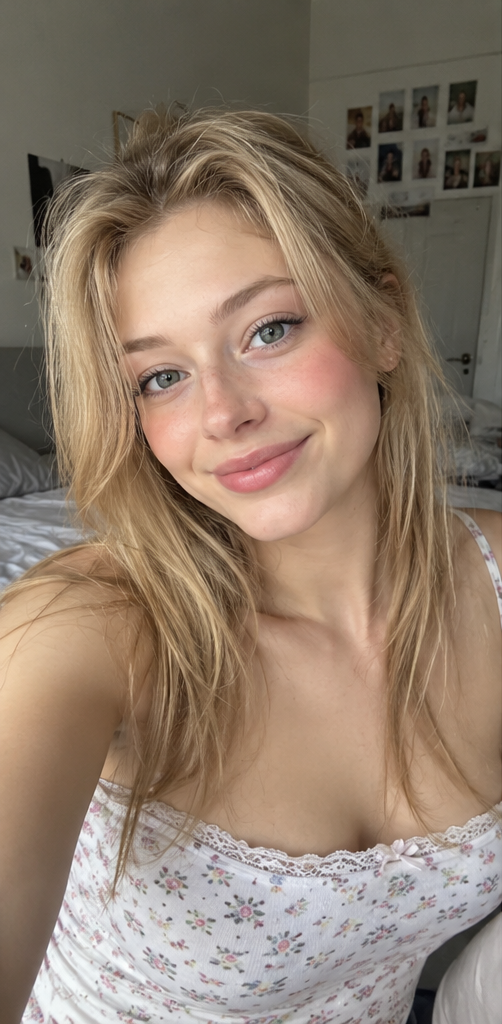
The photo used
for this test
Generated on Hotel Lobby AI from the original photo shown here. Results vary with each photo.
01 / A LITTLE SHOW & TELL
Small phone.
Big main-character moment.
A close-up reveal, an impossibly big screen, then a full-room dance. These four beats capture the idea behind an iPhone Kupi Dance AI video.
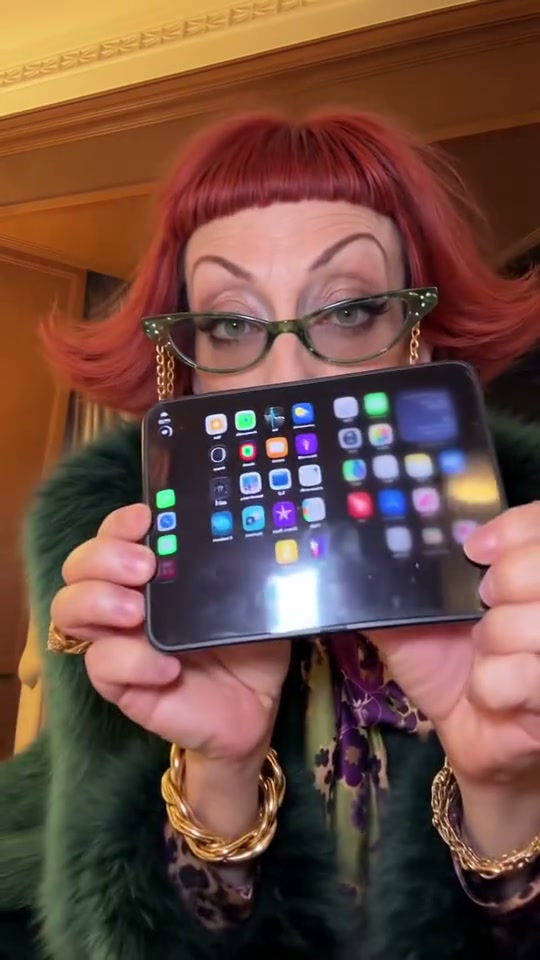 00–02s
The reveal
Close to the camera. A folded phone. The first flip open.
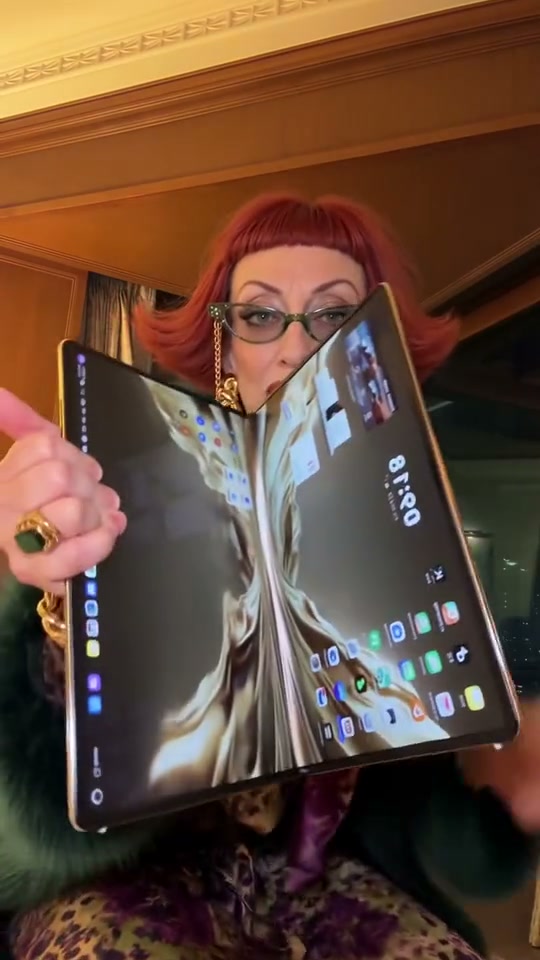 02–06s
Go big
The screen unfolds into a tablet-sized surprise.
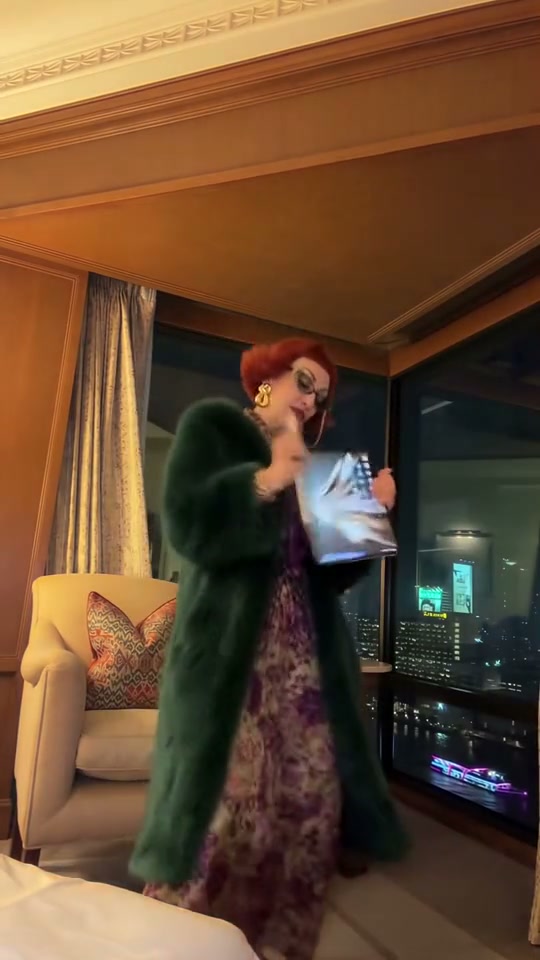 06–10s
Find your rhythm
Step back into the hotel room and let the dance take over.
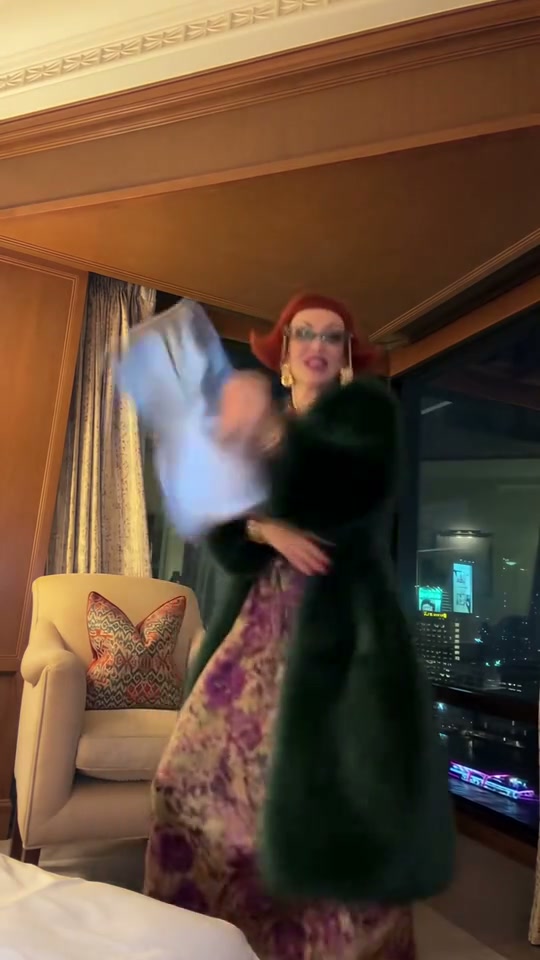 10–15s
Make an exit
A playful flourish, one last move, then out of frame.
Frames from the third-party reference above. Story beats and timings are approximate; generated results will vary.
THE NAME BEHIND THE MOVES
What is the
iPhone Kupi dance?
The iPhone Kupi Dance is a short-video trend with an outsized folding-phone reveal and an energetic hotel-room performance. It is associated with videos popularized by Win William and later AI recreations.
“Айфон купи” means “buy an iPhone” in Russian. You may also see the effect called the Win William iPhone dance, foldable-phone dance or iPhone duo dance. Use your own photo to become the solo dancer, with a preset reference clip guiding the moves and timing.
02 / YOUR PHOTO TAKES THE LEAD
How to make an
iPhone Kupi Dance AI video.
Sign in, upload your photo and review the credit price. Follow the actual task status, then preview and download your completed video.
- 01
Start with your photo
Choose a clear photo of one consenting adult. A visible face and waist-up or full-body framing give the model more to work with.
- 02
Create your dance
Review the available settings and credit price before submitting. The model will attempt the phone reveal and dance.
- 03
Watch. Download. Make it yours.
Preview the completed MP4 and check the face, hands and phone. Add music you are allowed to use in your social platform's editor.
03 / GIVE IT A GOOD START
Clear face.
Room to move.
You do not need a hotel room or a folding phone in your photo. Start with one adult, good light and a natural pose.
Preview your photoA good starting photo
- One adult, facing the camera
- A sharp, clearly visible face
- Even, natural lighting
- Waist-up or full-body framing
- Natural hair, clothes and expression
Leave these out
- Blurred or heavily filtered selfies
- Sunglasses or a hidden face
- Multiple people in the frame
- Tightly cropped heads or bodies
- Someone who has not agreed
04 / A FEW THINGS TO WATCH
Check the little details.
Fast dancing and a folding screen give a video model a lot to handle. Review the whole clip, especially the face and hands.
The face changes
Start with a sharper, evenly lit portrait. Keep the face visible and avoid strong beauty filters or extreme angles.
The phone bends oddly
Folding screens and fast hand movements are difficult for video models. Inspect the reveal and the edges of the device before sharing.
The movement feels stiff
Give the model more body information. Try a waist-up or full-body image instead of a tightly cropped selfie.
The toss looks unnatural
Check the whole hand-to-device interaction. A simpler motion or a fresh generation may be needed when the generator is available.
YOUR SETTINGS, YOUR CREDITS
Credits for your dance video.
Your shared Hotel Lobby AI balance. The form shows the exact per-video cost before you confirm.
Pay once, with no subscription. Credits work with every available resolution and remain valid for 365 days.
Starter Pack
Try a few party videos
$9.99 once
1,000 credits once
- Fast 480p / Fast 720p / HD 1080p / Seedance 2.0 Mini 480p / Seedance 2.0 Mini 720p
- 15 seconds per video
- Original hotel-room dance · no music included
- Credits valid for 365 days from payment
- No automatic renewal
Up to 2 videos
Based on 15-second 480p videos. Longer videos and higher resolutions use more credits.
Creator Pack
Create occasional social posts
$24.90 once
2,800 credits once
- Fast 480p / Fast 720p / HD 1080p / Seedance 2.0 Mini 480p / Seedance 2.0 Mini 720p
- 15 seconds per video
- Original hotel-room dance · no music included
- Credits valid for 365 days from payment
- No automatic renewal
Up to 6 videos
Based on 15-second 480p videos. Longer videos and higher resolutions use more credits.
Studio Pack
Stock up for more 480p / 720p / 1080p videos
$49.90 once
6,000 credits once
- Fast 480p / Fast 720p / HD 1080p / Seedance 2.0 Mini 480p / Seedance 2.0 Mini 720p
- 15 seconds per video
- Original hotel-room dance · no music included
- Credits valid for 365 days from payment
- No automatic renewal
Up to 13 videos
Based on 15-second 480p videos. Longer videos and higher resolutions use more credits.
Maximum counts use 15-second Fast 480p videos. Annual totals consist of 12 separate monthly allocations; unused monthly credits do not carry over. One-time and subscription credits share the same quality access, with their original expiry dates.
05 / BEFORE YOU HIT THE DANCE FLOOR
Good questions.
Straight answers.
The effect, your photo and what is available today.
What is iPhone Kupi Dance AI?
It is a photo-to-video trend built around a folding-phone reveal, a big-screen surprise and an energetic dance in a hotel room. This page shows real third-party video references for the effect.
Can I generate my dance here yet?
Yes, when the generator shows availability. Sign in, choose one photo, confirm permission and review the credit price before generating. If a required service is unavailable, submission is disabled.
How will I make an iPhone Kupi Dance AI video?
Upload one clear photo, choose the video quality and review the credit cost. Confirm generation, follow the task status, then preview and download the completed MP4. Technical generation failures release held credits through the shared task system.
Do I need to film myself dancing?
No. Upload one photo of an adult. The generator uses a preset dance video for motion, timing and framing, replacing the dancer with the person in your photo.
What does “iPhone kupi” mean?
The Russian phrase “айфон купи” means “buy an iPhone.” It is the phrase people use to find this dance trend, also searched as the Win William iPhone dance or iPhone duo dance.
Is this the Win William iPhone dance?
It takes inspiration from the broader foldable-phone and hotel-room dance trend associated with Win William. Hotel Lobby AI has no affiliation with him.
Were these examples generated by Hotel Lobby AI?
Yes. The paired selfie and dance video were generated on Hotel Lobby AI, as confirmed by the site owner. Other clips are labeled as references. Results vary with your photo.
Which photo should I use?
Choose one consenting adult, with a clear face and even lighting. Waist-up or full-body framing is recommended. Use JPG, PNG or WebP up to 10 MB, with each side between 320 and 8000 pixels, with an aspect ratio between 0.4 and 2.5. Avoid group photos, masks, sunglasses and heavy filters.
Can I use a friend's photo or include multiple people?
Use a friend's photo only with their permission, and only if they are an adult. The first version is intended for one person; group and duo photos are not supported.
Does the video include the original song?
The reference previews on this page are silent. The site does not supply the original song. You can add music you are authorized to use in your publishing platform's editor.
Is this an iPhone Kupi CapCut template?
This page uses a preset dance video and your photo to generate a new AI rendition. A CapCut template is a separate editing workflow. You will not need CapCut for the intended generation flow, although you may use an editor to add music or captions afterward.
How much will it cost and how long will it take?
The generator shows the exact credit price for your selected quality before submission. It uses your shared Hotel Lobby AI balance. Processing time depends on the model and queue; the result panel shows actual task progress. Downloading the same completed video does not charge again.
Will my face and the phone stay perfectly consistent?
Exact likeness and flawless hand-object motion cannot be guaranteed. A sharp photo helps, but faces, fingers and folding screens should be checked across the whole result. The story timings on this page are approximate reference beats.
Is this an official Apple product?
No. Hotel Lobby AI is independent of Apple, Win William and the original music rights holders. iPhone is an Apple trademark used here to identify the search topic. The intended generated device is an unbranded folding phone.
KEEP YOUR IDEAS MOVING